What Is ISO on a Camera?
ISO controls how bright a camera records a photo from the light reaching its sensor. For what is ISO on a camera in practical terms, raise it when you need a faster shutter or more brightness and can't get enough light another way.
On this page (8 sections)
- What is ISO on a camera, and what do the numbers mean?
- How does ISO affect image brightness and noise?
- When should you raise ISO for a photo?
- How do aperture, shutter speed, and ISO work together?
- What ISO should you use in bright light or indoors?
- How do you choose the right ISO for your camera?
- What are common ISO mistakes?
- Which camera or lens should you choose for low-light photos?
For what is ISO on a camera, the practical answer is that ISO controls how bright your camera records a photo from the light reaching its sensor. Raise it when you need a faster shutter or more brightness and can't get enough light another way.
ISO is one part of exposure, along with aperture and shutter speed. A low setting is a useful starting point in bright light, while a higher setting can help indoors, at dusk, or when a subject is moving.
What is ISO on a camera, and what do the numbers mean?
ISO is a camera setting that controls amplification of the sensor's light signal. At the same aperture and shutter speed, ISO 1600 usually records a brighter image than ISO 100.
ISO numbers follow standardized steps called stops. Moving from ISO 100 to ISO 200 is one stop, or twice the amplification; moving from ISO 200 to ISO 400 adds another stop.
ISO doesn't add light to the scene. It changes how the camera records the light that reaches the sensor, so a high setting can't restore detail that was never captured.
What does camera ISO stand for?
ISO refers to the International Organization for Standardization, whose name is used for standards across many fields. In photography, ISO is the standardized setting that traces back to film sensitivity ratings.
Digital cameras use ISO values to control exposure even though sensors work differently from film. You can think of the setting as a practical brightness control, with a tradeoff in image noise as the value rises.
How does ISO affect image brightness and noise?
Raising ISO can brighten a photo, but it often makes image noise more visible. Noise may look like grain, colored flecks, or uneven patches, especially in dark areas.
The tradeoff matters most in low light, when less light reaches the sensor. A higher ISO can let you keep a fast shutter speed, but fine detail may look less clean when you crop or enlarge the photo.
A lower ISO often gives a cleaner image when the scene is bright enough. It won't prevent blur from a moving subject or camera shake; shutter speed and camera support address those problems.
When should you raise ISO for a photo?
Raise ISO when the photo needs more brightness and you can't widen the aperture or slow the shutter enough. This often happens indoors, at dusk, or when you want to freeze motion.
A faster shutter gives the sensor less time to collect light. If your subject is moving and the photo is too dark at the shutter speed you need, increase ISO until the exposure is usable.
For example, photographing a child running indoors may call for a faster shutter than photographing a still object in the same room. A little noise is often a better trade than a blurred face.
The Nikon Z50 II is a body-only mirrorless camera with an APS-C sensor and a built-in flash. It also has subject detection for people, animals, birds, and vehicles.
Choose it if you want interchangeable lenses and room to adjust your kit; skip it if you want a fixed-lens compact camera with no lens to select. Check that you have a compatible lens for your subject and the available light.
For a closer look at sensor size, read what APS-C means on a camera. If you're choosing a first camera, our guide to DSLR, mirrorless, and zoom cameras compares common options.
Should you use high ISO for moving subjects?
A higher ISO can help you use a faster shutter for a moving subject. How high to go depends on the light, how quickly the subject moves, and how much noise you're willing to accept.
Use a shutter speed fast enough to keep the action sharp, then raise ISO if the exposure is too dark. If the subject still looks blurred, raising ISO alone won't fix the problem unless it lets you select a faster shutter speed.
For another example of balancing motion and light, see camera settings for dance and movement photography.
How do aperture, shutter speed, and ISO work together?
Aperture, shutter speed, and ISO work together to set exposure. Aperture controls the lens opening, shutter speed controls how long light reaches the sensor, and ISO controls amplification.
Opening the aperture wider lets in more light, while a slower shutter gives the sensor more time to collect light. A slower shutter can blur movement or camera shake, so it works best for still subjects or a supported camera.
Raising ISO can brighten the photo without changing the lens opening or exposure time. Read more about aperture and shutter speed to see how each setting changes a shot.
Does a wider aperture let you use a lower ISO?
A wider aperture can let you use a lower ISO or a faster shutter in dim light. It also changes depth of field, so part of the scene may fall out of focus.
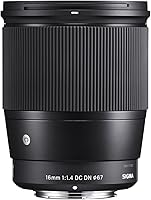
The Sigma 30mm f/1.4 DC DN is a Sony E-mount prime lens with a maximum aperture of f/1.4. It suits Sony E-mount camera owners who want a wide aperture for low-light scenes or a shallower depth of field; skip it if you need zoom or your camera has a different mount.
Check your camera's mount before choosing a lens. The guide to camera lens numbers explains how focal length and aperture markings relate to framing and light.
What ISO should you use in bright light or indoors?
Start with a low ISO and raise it only as much as needed for brightness and a sharp shutter speed. The right value changes with the light, your lens, and whether the subject is still.
In bright daylight, a low ISO is often enough. Indoors or at night, there is less available light, so you may need a higher ISO to avoid an overly slow shutter.
Auto ISO can help when light changes as you move. Set a maximum you can accept, if your camera allows it, and check the resulting photo so the camera doesn't choose a value that adds more noise than you want.
The Canon PowerShot G7 X Mark III is a compact camera with a 4.2x optical zoom lens covering a 24-100mm equivalent range. It suits someone who wants a fixed-lens compact with stabilization; skip it if you want to change lenses or need a longer zoom reach.
Optical stabilization can reduce blur from camera movement, but it doesn't freeze a moving subject. Use a faster shutter and raise ISO for action, then review the exposure display to see how the settings work together.
How do you choose the right ISO for your camera?
Choose the lowest ISO that still gives you enough brightness at a shutter speed that keeps the subject sharp. If a photo is too dark or motion is blurred, adjust the setting that addresses the cause.
For a still subject in good light, begin low. For action in dim light, choose a faster shutter and raise ISO until the subject is bright enough; some noise is often preferable to motion blur.
A simple order helps: open the aperture if depth of field allows, slow the shutter if the subject is still, then raise ISO when those options don't fit. Change one setting at a time and check the result so you can learn which adjustment helped.
The Sony RX100 VII is a compact camera with a 20.1 MP 1.0-type stacked CMOS sensor, a 24-200mm equivalent zoom lens, and an expanded ISO minimum of 64. It suits travelers who want a broad zoom range in a compact camera; skip it if you want interchangeable lenses or a larger sensor format.
Don't choose a camera based on ISO range alone. Consider the lens aperture, shutter controls, camera size, and the subjects you photograph.
What are common ISO mistakes?
The most common ISO mistake is keeping it low even when that forces a shutter speed too slow for the subject. A sharp photo with some noise is often more useful than a clean-looking blur.
Another mistake is raising ISO before checking whether you can open the aperture or add light. A wider aperture, a steadier camera, or a brighter scene may solve the problem without as much amplification.
Don't judge noise only from a tiny screen preview. Review the image at the size you plan to share or print, since noise is more noticeable when you crop or enlarge it.
Which camera or lens should you choose for low-light photos?
Choose based on the kind of low-light photo you take, not the highest ISO number. A compact with stabilization suits still scenes and travel, while an interchangeable-lens camera or wide-aperture lens gives you more control over the kit.
Pick the Nikon Z50 II if you want an APS-C mirrorless body with a built-in flash and interchangeable lenses. Pick the Sigma 30mm f/1.4 if you already have a compatible Sony E-mount camera and want a wide aperture without adding zoom.
Choose the Canon PowerShot G7 X Mark III if you want a compact fixed-lens camera with stabilization for still subjects. Choose the Sony RX100 VII if a compact body and its 24-200mm equivalent zoom suit your travel or framing needs.
For any of these options, decide first whether you need a fixed lens or interchangeable lenses, then consider aperture, stabilization, and subject movement. For what is ISO on a camera in everyday use, the decision rule is simple: use the lowest ISO that still lets you get the shot sharp and bright enough.
Frequently asked questions
What does ISO mean on a camera?
ISO is a standardized camera setting that controls how strongly the camera amplifies the signal from light reaching the sensor. Raising ISO can brighten a photo when light is limited, but it can also make image noise more visible.
It works alongside aperture and shutter speed to set exposure.
Is a higher ISO better?
A higher ISO helps when you need a brighter exposure and can't use a wider aperture or slower shutter speed. It isn't automatically better because high settings can make noise more visible and reduce the appearance of fine detail.
Use the lowest ISO that still lets you get a sharp, bright-enough photo.
What ISO should I use indoors?
There isn't one best indoor ISO. Room light, subject movement, lens aperture, and camera all matter.
Start low, then raise ISO if the photo is too dark or the shutter speed is too slow to avoid blur.
Check a photo at the size you plan to share or print.
Does ISO affect shutter speed?
ISO doesn't directly change shutter speed, but raising ISO can let you use a faster shutter speed while keeping similar brightness. In automatic or semi-automatic mode, the camera may adjust shutter speed when ISO changes.
Check the exposure display to see which settings moved.